
Git Status
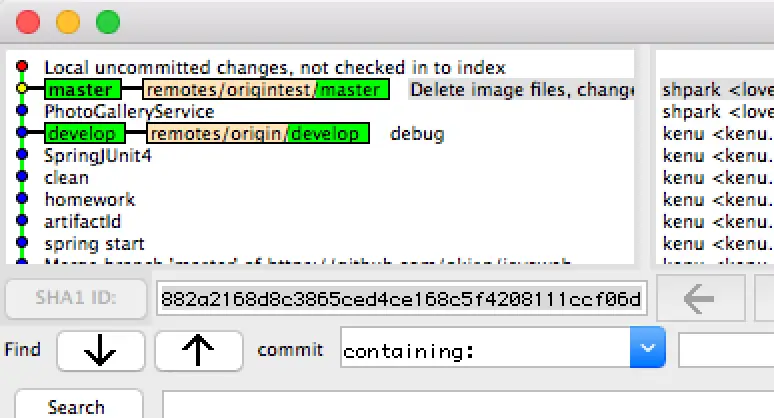
branch diverged
textOn branch main
Your branch and 'origin/main' have diverged,
and have 2 and 7 different commits each, respectively.
(use "git pull" to merge the remote branch into yours)
-
Status
-
Solve
text# folder backup
# git local commit
# git pull remote
# merge conflict
# git local commit
# git push
gitk
git status
git pull origin main
git commit -m "tmp"
git commit -am "tmp"
git pull origin main
git add .
git status
git commit -m "tmp2"
git pull origin main
atom .
git status
git add .
git commit -m "tmp3"
git status
git push origin main
gitk
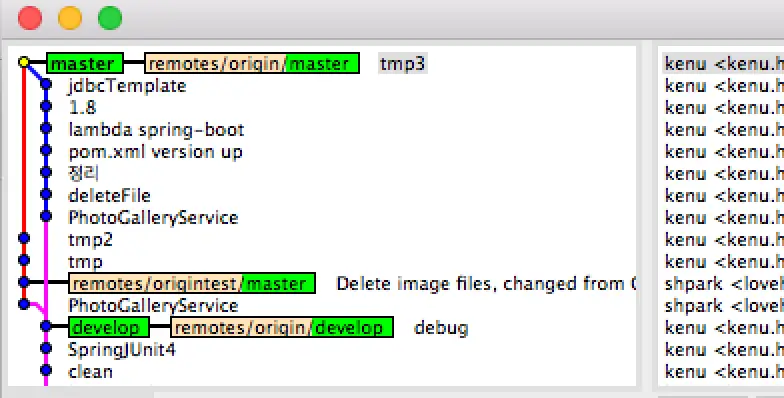
- 결과
파일 하나 롤백
textgit checkout b1fea8b -- server.js
Commit 롤백
textgit revert HEAD
git revert hashhash
파일 하나 unstage
textgit checkout -- server.js
git diff
- 이전 파일과 비교
textgit diff HEAD^ HEAD
- 브랜치 파일 비교
textgit diff develop main path/to/file
- As of Git 1.8.5, @ is an alias for HEAD, so you can use:
textgit diff @~..@
- The following will also work:
textgit show
- If you want to know the diff between head and any commit you can use:
textgit diff commit_id HEAD
- And this will launch your visual diff tool (if configured):
textgit difftool HEAD^ HEAD
git log
- 최근 2일간 계정에 대한 변경 이력
textgit log --pretty=format:"%h - %an, %ar : %s" --author kenu.heo --since=2.days
- commit별 변경 파일 목록
textgit log --name-only -1 f002a898
로컬 브랜치 정리
textgit remote prune origin
git fetch -p
errors
- The remote end hung up unexpectedly
textfatal: The remote end hung up unexpectedly
fatal: early EOF
fatal: index-pack failed
- Solve
textgit config http.postBuffer 724288000
or
textgit config --global core.compression 0
git clone --depth 1 https://github.com/kenu/okdevtv
cd okdevtv
git fetch --unshallow
git pull --all
git pull push timeout
ssh -T -p 443 [email protected]
text# ~/.ssh/config
Host github.com
Hostname ssh.github.com
Port 443